Data Cabling FAQs – Your Questions Answered


-
- Network Installations
Data Cabling Questions
Below is a selection of Data Cabling FAQs that outline elements of the data cabling industry.
There is also a structured knowledge centre of different categories of the data cabling infrastructure at our Knowledge Centre, which you can access HERE
What is Structured Cabling?
Data cabling is the installation of the actual cabling within a building.
However, structured cabling is the design and installation of such cabling systems. In addition, the structured design will support multiple hardware systems and be suitable for today’s needs and future needs. For exampl,e a Cat6 or Cat6a cable can connect any of the following:
|
|
|
|
|
|
|
|
This is all by just plugging in differently at the main cable area, where all the cables originate from
The proper design of structured cabling will ensure predictable performance. Furthermore, it will aid future expansion, relocation and moves and changes
The design will consider whether to cable directly to each location where desks and furniture are not expected to move. Furthermore, the option might be to cable to distribution points which then link locally to desks. Thus, allowing for easier future moves and rearrangements of desks and furniture
Data Cabling and Hardware
All hardware has a bandwidth and speed requirement. Thus, it will require a data cabling infrastructure to be installed to enable that hardware to perform at the required levels. Furthermore, to operate and work as required. An example would be a requirement for a computer with a 10 Gigabit connection, 80 metres from the main cabinet. Therefore, this would require a structured Cat6a cabling system to be installed. However, Cat5e and Cat6 would not support these transmission requirements
The structured cabling system should cover all elements of the building hardware and technology requirements. Furthermore, it should bring them all into a central design. This design would include the cabinet space and locations. In addition, whether they are in a single location or split over several floors. Finally, how the various locations are linked. For example, whether they are linked via copper or fibre optic cabling.
The containment and the spaces through which the cabling will travel will also be design considerations. The cabling must be correctly contained and supported to enable longevity and performance. The structured cabling spaces and containment must also allow for future growth of additional cables to travel through these areas. Therefore, the guidance to 40% fill on initial install and 60% maximum fill is the BICSI standard, for example
With a correctly installed system, your requirements of today and of tomorrow will be catered for. Furthermore, whatever hardware you choose to add will be supported.
What are the different types of data cables (e.g., Cat5e, Cat6, Cat6a, Cat7, Fibre Optic)?
Choosing the right data cable—whether Cat5e, Cat6, Cat7, or Cat8—can be challenging given the wide range of options. Each category offers distinct grades, specifications, and performance levels, catering to a wide range of project requirements, even the most complex ones. Before committing to a specific cable type, it’s essential to understand the key differences between them. This knowledge helps ensure you select the correct cable for your project, avoiding potential issues caused by installing an unsuitable specification.
Key Differences Between Cat5e, Cat6, Cat7, and Cat8
- Cat5e: Affordable, up to 1 Gbps and 100 MHz, ideal for home and small offices.
- Cat6: Faster at up to 10 Gbps (short distances) and 250 MHz, suitable for medium-sized networks.
- Cat7: Enhanced shielding, up to 10 Gbps and 600 MHz, perfect for high-performance setups like data centres.
- Cat8: Ultra-fast at 40 Gbps (short distances) and 2000 MHz, designed for data centres and advanced systems.
Higher categories offer faster speeds, better shielding, and future-proofing, but at a higher cost and shorter maximum distances for peak performance.
See more about ‘What’s the Difference in Ethernet Cables?’ Also see ‘Types of Cabling’
Cat5 / Cat6, what’s the difference?
The general difference between Cat5e cabling and Cat6 data cabling is in the transmission performance. Thus, an extension of the available bandwidth from 100 MHz for category 5e to 250 MHz for category 6. Thus, resulting in better insertion loss, near-end crosstalk (NEXT), return loss, and equal-level far-end crosstalk (ELFEXT).
These improvements provide a higher signal-to-noise ratio. Therefore, allowing higher reliability for current applications and higher data rates for future applications.
We cover the differences further in this article: What is the difference between Cat5 and Cat6
Should CAT 6 replace CAT 5e?
Industry predictions indicate that 80 to 90 per cent of all new installations will be cabled with Category 6 or higher. However, because Category 6 link and channel requirements are backwards-compatible with Category 5e, it is very easy for customers to choose Category 6 and supersede Category 5e in their networks. Applications that worked over Category 5e will work over Category 6. Cat6A and above are also taking over specifications for new installations, especially in data centres and Audio Visual Installations. In addition, any networks require a 10 Gigabit infrastructure.
Is Cat6 cable better than CAT5e? Read our recent post
What is the maximum length of CAT5 – CAT5e cable?
90m for the permanent link installation and an allowance for 10m of patch cords at the ends combined. A direct link can also be installed up to 100m
In addition, this is also the same distance for Cat6, Cat6a, Cat7 and Cat8
What’s the maximum distance between the cabinet and data cabling points for Cat5e/Cat6?
The maximum is 90m between the patch panel and the data point in the same manner as above
What factors will affect the performance of Cat5e cable?
Poor installation, poor terminations, and inferior materials are the main issues with performance on cabling systems. If the cable is poorly installed and terminated then data loss and errors will be a continuous problem, from lost data, dropped VOIP Calls and poor Visual displays. Interference from other cables and outside factors such as electrical, microwave, lighting and noise will also affect the performance of the cable
Cat7 – What is Cat7 cabling, and why would I use it
Cat7 cable offers improved performance and greater protection against external interference. With a bandwidth of up to 600 MHz, its potential speed increase over Cat5e/Cat6 is considerable. Also, each pair of wires (4 pairs) is individually shielded, as is the cable itself. This provides excellent protection against external noise and interference. It’s especially useful in areas of high-speed data transfer in large cable bundles and within the Audio Visual Industry
Cat7 cabling is covered in greater detail in this article, also: What is Cat7 Ethernet
What do I need to consider in terms of structured data cabling to future-proof my business for the next 5/10 years?
The major decision is where your office will be based in the future and what requirements you have for your systems. Cat5e is suitable for Gigabit data and therefore suitable to most offices. However, with Large files, Audio Visual distribution and CCTV innovations, a Cat6 or Cat6a with future proof your offices for a longer period
Can I use CAT5 cable in Power over Ethernet applications?
Cat5e and Cat6 can both effectively run POE applications up to 90m. However, due to power dissipation, Cat6a cabling running POE devices offers better performance and power efficiency when incorporated into a new design. See more technical information…
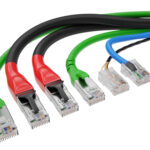
What is a patch cable?
A patch cable is used at the cabinet end for linking the dedicated cabling port to the required equipment in the communications cabinet. For example, an outlet could be “patched” from the panel to a Data Switch, Telephone Switch, CCTV Switch, or WIFI Switch. The difference to standard cable is Patch cable is stranded for flexibility, whereas standard cable is solid copper
Fibre optic cabling – when is it better to use Fibre?
Fibre cable carries greater bandwidth over longer distances. It is not limited by the 90/100m limit of copper cable and has a distance potential of 40km in some cases. It also isn’t affected by noise or external influences, such as copper cables, so it is a perfect solution for linking cabinets through risers in a building. As a general rule, when linking separate cabinets, fibre-optic links should be used.
For a more in-depth article on this, please view our article What is the difference between copper cable and fibre optic cable?
What is VoIP?
Voice over Internet Protocol (VoIP) uses digital technology to send voice signals over your cabling infrastructure. Voice is converted to a data transmission and converted back to a voice signal at the user’s end
For a more in-depth article on this, please view our article What is VoIP
VOIP – Can I use VOIP over my existing network?
VOIP systems require a point-to-point cable from the VOIP system to each user. If you telephone system is of the old daisy chain wiring (i.e. one telephone wired to the next telephone wired to the next telephone) then this will not support a VOIP systems. Also, the existing cabling needs to be of a good standard, correctly terminated, and fully tested. A poor cabling installation will result in very poor VoIP call quality.
Disposal of old data cabling – do you dispose of the old cable?
Depending on the project and the feasibility of the current cabling, we remove the old cabling as part of the new installation. This cabling is then taken back to be segregated and disposed/recycled as appropriate
Cabling for schools: Do you provide data cabling for schools and colleges?
Yes, and having been a preferred supplier forthe London Borough of Barnet’s Schools ICT for the past 15 years, we have completed in excess of 300 projects within schools
The Department for Education has created a new standard for Network cabling standards for schools & colleges
Do I only need 1 cable per person, as I will plug my PC into my Phone?
Some phone systems allow you PC to access the internet on your PC through the same cable as your phone. However, you are then limited to the speed of that phone (i.e. 100MB). Also, you are limited in future options. If you choose a different system that requires a dedicated line, you have to install new cables. Our recommendation isthat when installing install a minimum of 2 per user (PC and Phone)
What disruption would data cable installation cause to my company? How long will we be out of action?
If the data cabling installation is new and doesn’t require unplugging your existing infrastructure, then we can install without any disruption. To facilitate this further, we can install on weekends or in the evening when the building is empty to minimise disruption.
Can I get the builder to install the cable, and you terminate and test?
This is not recommended because the success of a cabling system’s performance depends on its installation and termination. Installation requires adherence to the limited bend radius of the cables, separation from noise interference, and correct securing and bundling of the cables. This is part of the cabling installation contractor’s experience and expertise.
However, in practice, the cabling may need to be installed by the builder before the client takes possession of the building. In this scenario, we can trace, terminate and test the system, but can’t guarantee the results will pass.
What do the data cabling installation test results show?
Test Results show a range of results depending on the grade of cabling used (Cat5e/Cat6, etc.). These Cat6 tests include Wire Map, Length, Insertion Loss, NEXT Loss, PS NEXT Loss, ACRF Loss, PS ACRF Loss, Return Loss, Propagation Delay, and Delay Skew. These are tests to ensure installation standards have been met, the terminations have been done correctly and that the cable doesn’t have any unnecessary bends, kinks and twists
For a more in-depth article on this, please view our article Structured Cabling Testing – what you should insist on
Do I need a cabinet? Can’t I just plug straight into my equipment?
A cabinet is always recommended, even for the smallest installs. Cabling plugged directly into equipment has a tendency to break away at the termination ends as solid cable is not suitable for direct termination. Also, a cabinet provides protection for the equipment from theft, breakage, dust and employees. Cabinets also allow all the equipment to be stored together and in a manageable way for moves and changes
Why do I need such a big cabinet?
The cabinet should be large enough to accommodate the current equipment, with some space for future requirements. I.e. for a VOIP telephone system to be housed. The cabinet’s depth should be considered when deciding what to store in it. Some ISP switches and blade servers are extra deep and required a 800/1000mm deep cabinet.
What is Low Smoke Zero Halogen Cable – LSZH/LSOH Cable
The main difference between LSOH cables and conventional cables is that LSOH cables feature a unique thermoplastic jacket. This jacket is designed using a combination of thermoplastic compounds – usually polyolefin-based – which maximise the fire-retardant quality of LSOH cables.
Read more about Low Smoke Zero Halogen Cable – LSZH or LSOH Cable
Why use LSOH (Low Smoke Zero Halogen) cable?
Most network cables are insulated with polyethene, PVC or thermoplastic polyurethane. In a fire, a chlorine-containing plastic material releases hydrogen chloride, a poisonous gas that forms hydrochloric acid when it comes in contact with water. Low-smoke, zero-halogen cable reduces the amount of toxic and corrosive gases emitted during combustion.
Furthermore, the regulation now requires Euroclass cable specification for new installations. These properties exceed the LSOH specification
Additional information on Euroclass cables can be found in our article Do I have to install a Euroclass Compliant data cabling in data cabling installation
Do you charge for an initial survey?
Initial surveys are free, as are introductory design meetings. However, visits to explore faults, etc., that require an engineer are charged at call-out rates
We explain further the different types of surveys we offer here: How much do you charge for a structured cabling survey? Do you offer Free Surveys?
What times are your normal working hours for engineers?
Our normal working day is Monday – Friday, 8 am to 5 pm, but we can also work before/after these hours if required. In some cases, out-of-hours working is charged at the same rates, depending on requirements, location and hours
Do you charge extra for weekend and evening work?
In many cases, we offer weekend work at the same rates as normal hours. This depends on location, requirements and hours. Evenings depend on how many evenings will run in succession
More Data Cabling FAQs?
Just give us a call, and we will be happy to answer any data cabling FAQs. In addition, take advantage of our free Data Cabling survey. We offer expert advice to clients planning to set up, upgrade or expand data cable installations – just drop us a line or call.
Cabling Terms Glossary
Click here for A summary of commonly used Data Cabling Terminology
For further articles and Data Cabling FAQs, please visit our Knowledge Centre HERE
Claim Your Free Site Survey
Our certified engineers assess your site and provide tailored recommendations—completely free.
Simply fill in your details, and one of our project team will be in touch to arrange your on-site assessment.
Book your free site survey today and take the first step towards a faster, smarter, and more efficient workspace.